
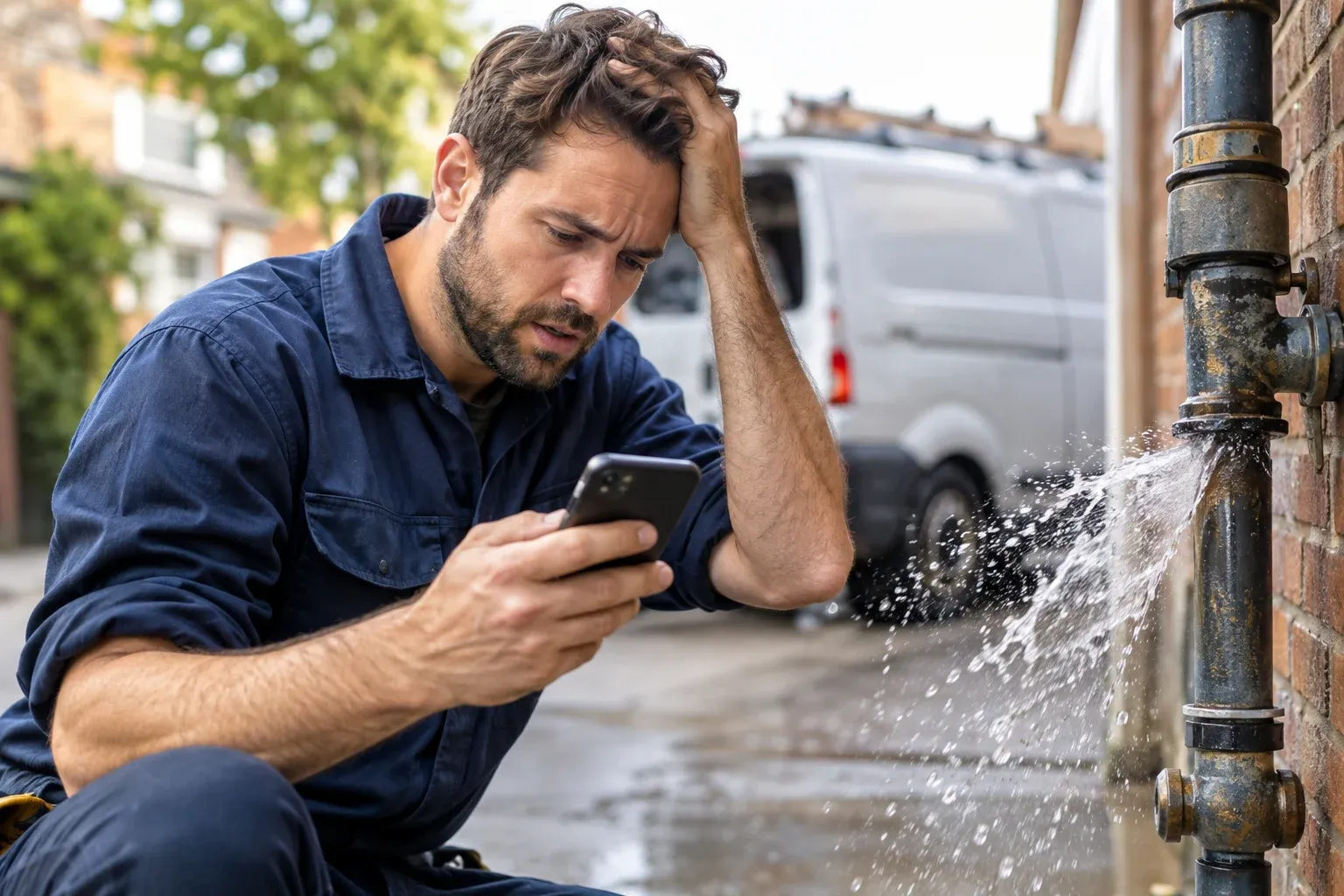
You open Search Console and the picture looks healthy. Impressions are up, clicks are up, and the list of queries is long. Then you look closer. The queries are “cheap plumber,” “how to unblock a drain yourself,” “free electrician quote,” and “plumber salary.” The searches you actually want, such as “emergency plumber near me” or “24 hour electrician,” are nowhere on the list. Or they are, but on page three.
This is one of the most common and most expensive mismatches in local SEO. The traffic is real, but it does not call at 11pm with a burst pipe. It browses, price-checks, or tries to fix the problem itself.
This guide explains why that happens, how to confirm it in your own data, and how to shift your site and profile toward urgent, high-value searches. If you want the wider system behind this (Google Maps, your profile, neighborhood search, and reviews), start with our ultimate local SEO blueprint. Here we focus on one specific problem: intent mismatch.
What “Cheap Keywords” Really Means
“Cheap keywords” is a loose label, and it helps to be precise. When owners say they rank for cheap keywords, they usually mean one of two things:
- Price-led searches: queries containing words like cheap, cheapest, affordable, discount, budget, or free quote. These searchers are comparing on price, often before they have a real need.
- Low-intent searches: DIY and informational queries (“how to fix a leaking tap”), job-seeker queries (“plumber apprenticeship”), and definitions. These bring visitors who were never going to hire you today.
Emergency searches are different. The person has a problem that is happening now, such as a no-heat call in winter, a blocked toilet, a tripped main breaker, a broken lock, or a flooded floor. They are less price-sensitive in the moment, they decide fast, and they usually contact the first credible option that can come soon.
Neither type of search is bad. Price-led and informational traffic can be useful. The problem is when it is the only thing you rank for, and when your site gives Google no reason to associate you with urgency.
Step One: Confirm the Problem in Your Own Data
Before changing anything, check whether this is actually your situation. Open Google Search Console, go to Performance, and look at the Queries report for the last 3 to 6 months.
Use the regex filter (choose “Custom (regex)” under the query filter) to isolate the two groups. For urgent searches:
emergency|urgent|24[ -]?hour|24/7|same[ -]day|after[ -]hours|asapFor price-led searches:
cheap|cheapest|affordable|low cost|budget|discount|free quote|couponCompare impressions, clicks, and average position for each group. Then export the full query list and sort it into buckets.
| Bucket | Example queries | What it tells you |
|---|---|---|
| Urgent need | emergency plumber near me, 24 hour locksmith, no heating tonight | The searches that produce your highest-value calls. Position and impressions here are your real visibility |
| Standard commercial | boiler replacement company, electrician in Eastlake | Planned work. Valuable, but a different page and a different buyer |
| Price shopping | cheap plumber, affordable electrician, free quote | Comparison shoppers. Useful in moderation, risky if your whole brand leans on it |
| DIY and informational | how to unclog a drain, why is my fuse tripping | Readers, not buyers. Good for trust and content, poor for direct leads |
| Irrelevant | plumber salary, plumbing courses, jobs | Wasted impressions. Often a sign of loose page wording |
If the urgent bucket is empty or tiny while the other buckets dominate, you have an intent mismatch, not a general ranking problem. That distinction matters because the fix is about page type and signals, not about “doing more SEO.”
One caution: Search Console only shows queries your site already gets impressions for. If you have no urgent-intent impressions at all, that tells you the site is not being considered, which is useful in itself, but it does not tell you how big the opportunity is. Search Google yourself for your emergency terms and see who is there and what they show.
Why Google Associates You With Cheap Instead of Urgent
Search engines do not decide you are a “cheap” business. They match the words, structure, and signals on your pages and profile to what people search. These are the most common reasons the match goes the wrong way.
1. Your Pages Lead With Price Language
If your title tags, headings, and opening paragraphs say “affordable,” “low prices,” “best rates,” or “no hidden fees,” you are telling Google those are the words that describe you. Pages that repeat those terms attract searches that include them.
This often happens by habit. Someone wrote “Affordable Plumbing Services” as the homepage title years ago and it stuck.
2. You Have No Page Built for Emergencies
A single “Services” page that lists emergency work in one bullet cannot compete with a competitor’s dedicated page on emergency call-outs. Google tends to reward a page that is clearly about a topic over one that mentions it in passing.
If urgent searches are a core part of your business, they need their own destination. A generic page also gives a stressed visitor nothing to act on.
3. Your Site Does Not Signal Availability
Urgent searchers need confirmation that you can come quickly. Many sites never state:
- Whether you offer out-of-hours or weekend service.
- Typical response times (as a realistic range, not a promise you cannot keep).
- The areas you can reach quickly.
- A phone number that is visible immediately on mobile.
Without those details, your page reads like a planned-work page, and that is what it will rank for.
4. Informational Content Outweighs Commercial Content
Some sites publish a lot of how-to articles and very few strong service pages. Those articles earn the impressions, so your Search Console report fills up with DIY queries. Content like this has value, but when it is the bulk of your footprint, it shapes what Google thinks the site is for.
5. Your Business Profile Contradicts Your Emergency Ambitions
For urgent searches, the map pack and Maps results matter a great deal, and your Google Business Profile drives those. Common contradictions include:
- Listed hours that stop at 5pm while the website claims emergency service.
- A primary category that does not match the urgent service you want to be found for.
- A services list that omits the emergency work entirely.
- No recent reviews that mention fast or after-hours response.
If map results are where you want to appear, see our guide on 10 Reasons Your Business Isn’t Showing Up on the Google Maps 3-Pack to check the fundamentals first.
6. Urgent Searches Are Dominated by Proximity and Prominence
“Emergency plumber near me” is, by nature, a local search where distance and prominence carry a lot of weight. A business that is far from the searcher, with few and old reviews, will struggle regardless of how good its page is. Cheap and informational queries are less sensitive to these factors, which is partly why a mid-strength site can rank for them more easily.
That is not a reason to give up, but it does mean the fix includes your profile and reputation, not just your website.
7. Paid Results Often Take the Top of the Page
For some urgent searches, ads and Local Services Ads can occupy much of the first screen. That reduces how much organic traffic any result can get, even in a top position. It does not make organic work pointless, but it should shape your expectations and your measurement. We will come back to this below.
Build the Page That Urgent Searchers Actually Need
The single highest-impact change for most businesses is a dedicated emergency page for each core emergency service, such as emergency plumber, emergency electrician, or emergency lockout. Treat it as a fast decision page, not an essay.
Put the Next Step on the First Screen
On mobile, the visitor should see, without scrolling:
- A clear heading that names the service and area, such as “Emergency Plumber in Chula Vista.”
- A tap-to-call button with your phone number.
- A short line on availability that is true for your business.
- A simple form or text option for those who cannot call.
Answer the Questions a Stressed Person Has
Below that, cover the things an urgent buyer wants to know before committing:
- What counts as an emergency for your trade, and what can wait for a standard booking.
- What to do right now while they wait, such as isolating the water supply or switching off power at the mains. Keep it safe and avoid advice that could cause harm. Where there is danger, say to contact the relevant emergency services.
- How the call-out works: who answers, how quickly you typically respond, and what happens on arrival.
- Which areas you reach quickly, named honestly.
- How pricing works for urgent work, including any call-out or after-hours charges.
- Proof: licences, insurance, real photos of your team and vans, and genuine reviews that mention responsiveness.
Be Transparent About Price Without Calling Yourself Cheap
Urgent buyers do care about being treated fairly. They just do not want to be sold on the lowest number. Explaining how pricing works builds trust and filters out the wrong enquiries. You do not need to publish a fixed price list. Describe what affects the cost, how quotes are given, and what is included.
The swap in language below shifts what your page is about without losing the reassurance:
| Typical wording | Stronger alternative |
|---|---|
| Affordable emergency plumbing | Emergency plumber in Chula Vista with upfront quotes before work starts |
| Cheapest call-out in town | Clear call-out pricing explained before we dispatch |
| Low prices, 24/7 service | Out-of-hours callouts available, with response times by area (only if true) |
| No hidden fees | What is included in your quote, and what could change the price |
Also keep one important rule in mind: pricing claims must be accurate. Do not advertise “no call-out fee” or “fixed price” if exceptions apply and are not disclosed.
Keep It Separate From Your Standard Service Pages
Do not squeeze emergency and planned work onto one page. A homeowner who is replacing a water heater next month and a person with a flooding kitchen have different needs and read the page differently. Give each its own page, and link them to each other where it helps. If two of your pages could rank for the same search, decide which is primary so they do not compete. We cover the wider approach to page-per-intent in the local SEO blueprint.
Align Your Google Business Profile With Urgent Intent
Your profile is often what decides whether you appear when someone searches from their phone in a crisis. Make sure it supports the emergency message.
- Hours: set accurate regular and special hours. If you offer out-of-hours service, make sure it is reflected, and set holiday hours properly. If you only take emergency calls via a separate line, explain that in the description rather than listing misleading hours.
- Primary category: keep it as the one that best describes your core business, such as plumber or electrician. Do not swap categories to chase a keyword.
- Services: add the emergency services you really perform, with short, factual descriptions.
- Description: mention emergency availability in plain language if it is real. Write for customers, not for keyword repetition.
- Business name: leave it exactly as it is in the real world. Adding “Emergency” or your city to the name to rank is a guidelines risk.
- Photos: upload genuine photos of vehicles, team members, and completed emergency jobs where customers have agreed.
- Reviews: encourage honest reviews, and respond to them. Customers who used you in an urgent situation often describe how quickly you arrived, and prospective customers read that closely. If a negative review mentions delays, our guide on how to handle a 1-star Google review covers how to respond without making things worse.
Never create extra profiles or fake locations to appear near more emergency searchers. It violates Google’s guidelines and can lead to suspension.
Deal With the Cheap Keywords You Already Rank For
Do not delete pages that rank for price-led or informational queries just because they are not your priority. Instead, decide what role each one plays.
- Informational articles: keep the useful ones. Add a clear, relevant call to action and link to the matching emergency or service page. A reader troubleshooting a leak may decide, halfway through, to call a professional.
- Pages dominated by price language: rewrite the title, heading, and opening, using the alternatives above. Preserve the parts that are genuinely useful.
- Pages that attract irrelevant searches: tighten the wording so it reflects what you actually offer, or merge them into a stronger page.
- Paid campaigns: if you run Google Ads, check your search terms report for “cheap” and “free” queries and add negative keywords where they are not a fit. Be careful with broad exclusions that could block good searches.
If you are also noticing calls from outside your area, the cause may be targeting rather than keywords. See 9 Reasons Your Business Gets Out-of-State Phone Calls (And How to Fix Them).
An Illustrative Example
The scenario below is hypothetical and does not describe a real client or real results.
A drain-clearing company has a services page titled “Affordable Drain Services” and a blog full of DIY guides. Search Console shows plenty of “how to unblock a sink” impressions and a few “cheap drain cleaning” queries, but almost nothing for “emergency drain unblocking.”
The company’s real offer includes same-day attendance in its core area and out-of-hours callouts for blocked sewer lines.
What it changes:
- Creates an emergency drain unblocking page with a call button on the first screen, an honest explanation of when it can attend, and a clear note on how call-out pricing works.
- Rewrites the services page title to describe the service and area instead of price.
- Updates its Business Profile with accurate out-of-hours details and adds emergency drain work as a service.
- Adds links from its most-read DIY articles to the emergency page, with a short “when to call a professional” section.
- Starts asking recent customers for honest reviews, including those who used the emergency service.
None of this guarantees rankings. It does give Google and visitors a consistent, accurate picture of a business that handles urgent work, which is exactly what was missing.
Measure Calls From Urgent Searches, Not Traffic
Total clicks will not tell you whether this is working. Track the signals that match the goal:
- Search Console: impressions, clicks, and average position for your urgent-query regex, plus the emergency page itself.
- Call tracking and call logs: calls from the emergency page and your profile, including time of day and call length, so you can see whether after-hours calls are arriving and being answered.
- Business Profile insights: calls, direction requests, and website clicks.
- Lead quality: whether enquiries are in your area, for work you want, and from people ready to book.
- Booked jobs and revenue from emergency enquiries.
Local results can vary by location, device, and time, so do not judge progress from a single search at your own office. A grid-based rank check across the areas you serve gives a more reliable view, and the pillar guide explains how to monitor neighborhood-level rankings.
As for timing, a new page needs time to be crawled and evaluated, and competitive urgent searches often take months to move. Treat the first few weeks as a time to check that pages are indexed and tracking is working, and judge trends over a longer period.
Mistakes to Avoid
- Claiming 24/7 service you cannot deliver. It creates complaints, bad reviews, and possible legal trouble.
- Stuffing “emergency” into every title. One clear page per intent works better than repeating the word everywhere.
- Cloning the page per suburb. Swapping the town name on identical pages is thin content. Build local pages only where you have something genuine to say.
- Ignoring mobile. Many urgent searches happen on a phone. A tiny phone number or slow page loses the call.
- Treating the page as the whole job. Without a healthy profile, reviews, and call handling, a good page may not convert.
- Abandoning price-led traffic altogether. Some of it is good business. The aim is balance, not elimination.
Final Thoughts: Make the Right Searches Easy to Win
If you rank for cheap keywords but not emergency searches, your site is probably describing the wrong business. Prices, general advice, and vague service lists attract browsers. Clear availability, fast contact, honest pricing explanations, and a consistent profile attract people who need help now.
Start with your data. Confirm where your impressions are coming from, build a dedicated page for each urgent service, align your Business Profile, and make sure your phones are covered. Then measure calls, not clicks.
Frequently Asked Questions About Ranking for Emergency Searches
Why does my site rank for cheap searches but not emergency ones?
Usually because your pages and profile emphasise price or general information and do not clearly signal urgent availability. Google matches the language and structure of your pages to searches. Without an emergency-focused page, clear hours, and supporting reviews, urgent searches have little reason to show you.
Do I need a separate page for emergency services?
In most cases, yes. Urgent searchers want a fast decision page with a call button, availability details, and clear pricing guidance. Combining that with planned work on one page usually weakens both. Create one page per core emergency service rather than one page per suburb.
Should I remove the word cheap or affordable from my website?
You do not need to purge it, but avoid leading with it in titles and headings. Transparent pricing information, such as what affects the quote and what is included, builds trust without positioning you as the lowest-price option.
Can I add Emergency to my Google Business Profile name?
Only if it is genuinely part of your real-world business name. Adding keywords or locations to the name to improve rankings can violate Google's guidelines and put the profile at risk. Use your categories, services, description, and website to communicate emergency availability.
How long does it take to start ranking for emergency searches?
It depends on your competition, location, existing authority, and profile strength. New pages can appear in Search Console within weeks, but competitive urgent searches often take several months. Nobody can guarantee a specific ranking or timeline.
Is it a problem if I get a lot of DIY and informational traffic?
Not by itself. Helpful articles can build trust and bring future customers. The problem is when they are your only visibility. Link them to relevant service and emergency pages, and track leads from the commercial pages separately.
Do emergency searches depend more on Google Maps than organic results?
Often they do, because urgent searches usually carry strong local intent and may trigger a map pack. That makes your Business Profile, reviews, and proximity especially important. Organic results still matter, and the two systems work best when your website and profile tell the same story.
What should I track to know if my emergency SEO is working?
Track urgent-query impressions and clicks in Search Console, calls from your emergency page and Business Profile, call timing and answer rates, lead quality, and booked jobs. Rankings alone can mislead, particularly when ads or map results take much of the page.